Old family recordings often hold moments we never want to lose – birthdays, vacations, weddings, childhood memories, and everyday scenes that become more valuable over time. Yet many of these clips remain forgotten on VHS tapes, old hard drives, or outdated devices simply because they were never properly edited or organized.
The right software can help transform raw home videos into polished stories worth revisiting and sharing. Modern home video editing tools make it possible to edit any video project with impressive results, even if you have little or no editing experience.
Whether you want to restore VHS tape recordings, improve travel content, or create short clips for TikTok, today’s video editing software gives users the flexibility to work with different types of footage quickly and efficiently. If you still have hours of forgotten recordings sitting on a shelf or hard drive, now is the perfect time to start bringing those memories back to life.
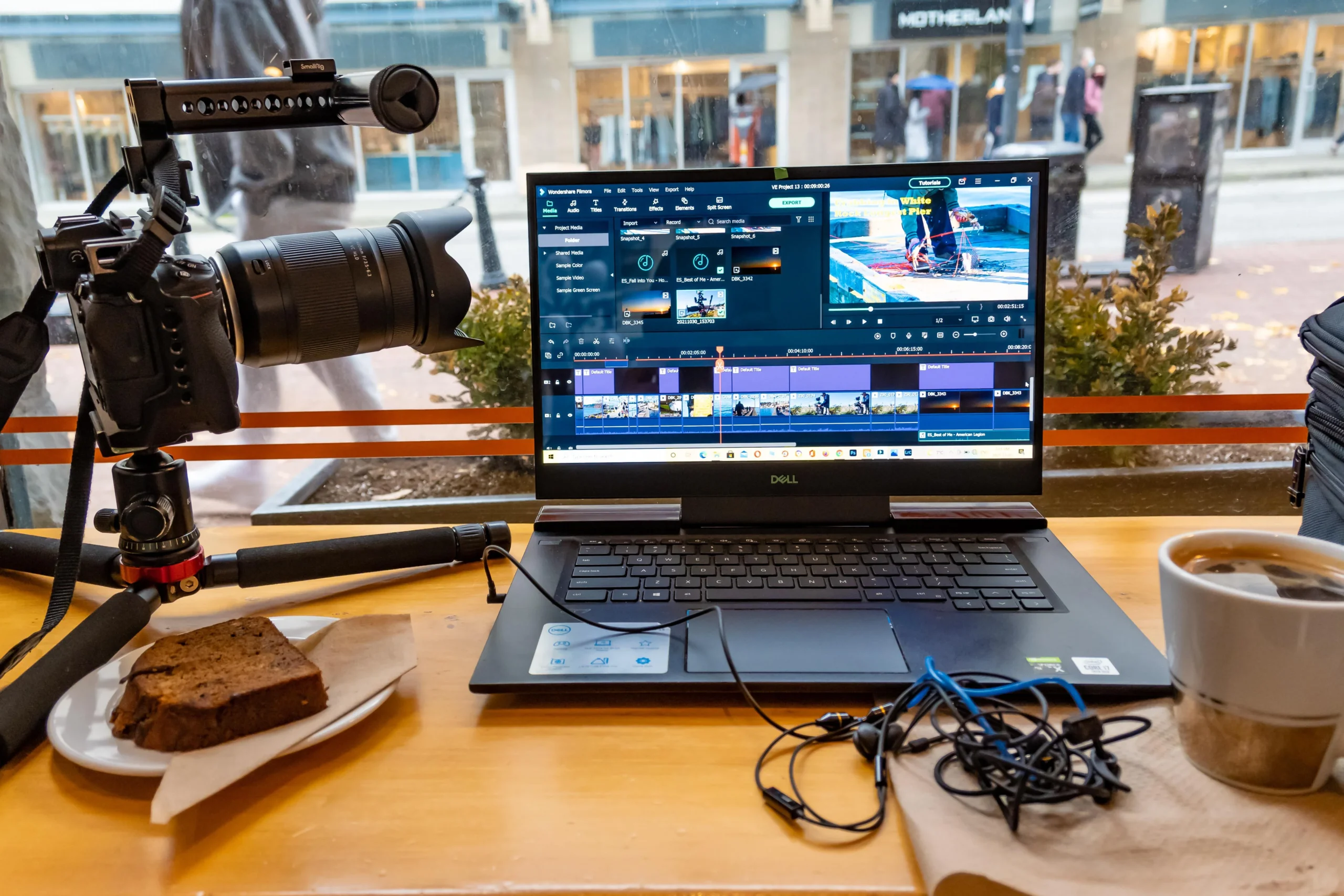
Why Home Video Editing Matters More Than Ever
People create more video content now than at any point in history. Smartphones, action cameras, drones, and digital cameras allow users to capture every important moment. However, raw home videos often need some work before they truly shine.
With quality home video editing, you can:
- cut unnecessary scenes
- improve sound
- stabilize shaky footage
- add titles and transitions
- adjust color and lighting
- combine multiple clips into one final story
Many families still own old recordings on VHS or camcorder tape. Modern software can help digitize and edit those memories so they remain accessible for future generations.
Whether you create family videos, travel diaries, or personal celebrations, editing gives your content a cleaner and more emotional impact.
Choosing the Best Video Editing Software for Your Needs
There are many types of software available today. Some tools are designed for beginners, while others target professional creators and even large business production teams.
When selecting a video editor, you should consider:
- ease of learning
- available features
- export options
- device compatibility
- performance speed
- subscription model
- overall price
If you are new to home video editing, an easy to use platform is usually the best place to start.
Popular Options for Editing Home Videos
Some of the most popular tools include:
- iMovie – a great beginner-friendly option for Mac users
- DaVinci Resolve – powerful professional editing software with advanced color tools
- Adobe Premiere Pro – widely used in the business world
- Final Cut Pro (FCP) – popular among Apple creators
- CapCut – especially useful for TikTok creators
Many of these programs offer a free version or trial period, allowing users to test features before spending money on a full subscription.
Key Features Every Editor Should Look For
Not every video editor offers the same experience. The best tools combine simplicity with flexibility.
Important features include:
- Simple Timeline Editing
A good timeline helps users quickly cut, move, and organize every clip in a project.
- Fast Rendering Performance
Nobody wants to wait an entire hour for a short video export. Modern software should deliver a fast editing workflow and efficient rendering.
- Audio Enhancement
Clean sound dramatically improves the viewer experience. Good editing tools help remove noise and balance audio levels.
- Multiple Export Options
Your final content may need a specific format for YouTube, Instagram, or personal archives.
- Cloud Storage and Backup
Reliable systems help users save projects securely and protect important files.
How to Edit Old Home Movies
Restoring old home movies can feel emotional and rewarding. Many people discover forgotten memories hidden inside VHS recordings or outdated camera files.
Here’s a simple workflow:
- Convert the original tape into a digital file
- Import the material into your chosen software
- Organize the footage
- Cut damaged or unnecessary parts
- Add music or improved sound
- Export the final version
The process does not need to be complicated. Even a basic editing setup can dramatically improve video quality.
Some creators also choose to add subtitles, transitions, or visual effects to make homemade videos feel more modern.
Free vs Paid Software
Many users wonder whether they truly need paid editing tools.
A free editor can work perfectly for simple projects. If you only want to organize personal clips or improve casual home videos, free tools are often enough.
However, premium platforms usually offer:
- better performance
- more export options
- advanced effects
- AI-powered tools
- higher rendering quality
- additional support
For creators managing commercial content or large business campaigns, investing in premium software often saves time and improves the overall result.
Tips to Make Your Video Projects Look Better
You do not always need expensive equipment to create impressive results. Small editing improvements can completely change how your content looks.
Use Shorter Clips
A shorter clip often feels more engaging than long unedited scenes.
Keep a Consistent Style
Choose similar fonts, transitions, and colors throughout the project.
Focus on Storytelling
The best video content tells a story. Even simple home videos become more memorable when organized with intention.
Organize Files Properly
Always name each file clearly and keep backups.
Learn Keyboard Shortcuts
A useful editing shortcut can dramatically speed up your workflow.
The Growing Role of AI in Home Video Editing
The latest generation of editing platforms includes AI-powered tools that automatically improve workflow efficiency.
Modern AI features can:
- detect scenes automatically
- remove background noise
- improve image stabilization
- suggest transitions
- create captions instantly
These tools help beginners create polished content much faster than before.
When to Work With a Professional Editor
Sometimes personal projects deserve expert attention. Weddings, anniversary films, documentaries, and archived family videos may benefit from advanced editing techniques.
That is where companies like E.V.Editor can help. Their team specializes in professional editing services for both personal and commercial video content, helping clients transform raw recordings into polished visual stories.
Working with an experienced editor can also help preserve valuable memories while ensuring the highest possible quality.
Final Thoughts
The right home video editing workflow allows anyone to preserve memories, improve storytelling, and create engaging content for modern platforms. Whether you choose a simple free app or advanced software, the most important step is to start.
Your archived home videos, travel recordings, and personal moments deserve more than sitting forgotten on a hard drive. With the right tools, you can edit, organize, and share memories that will last for years to come.
From restoring old recordings to creating polished modern content, today’s editing technology gives every creator the opportunity to produce something meaningful.